DRR data journey via API
This page explains the full end to end workflow using the DRRDRR Digital Regulatory Reporting. An industry‑developed, machine‑executable interpretation of regulatory rules that produces consistent, transparent and fully traceable reporting outputs from standardised CDM data. APIAPI Application Programming Interface –bridges that let different software systems talk to each other. services for converting an FpMLFpML Financial Products Markup Language Recordkeeping XMLXML Extensible Markup Language. Text-based format used to store and transport data in a structured way that both humans and machines can read. into:
-
a CDMCDM Common Domain Model. A standardised, machine-readable and machine-executable blueprint for how financial products are traded and managed across the transaction lifecycle. It is represented as a domain model and distributed in open source. ReportableEvent
-
a TransactionReportInstruction
-
a regulatory transaction report, and finally
-
an ISO 20022 XMLXML Extensible Markup Language. Text-based format used to store and transport data in a structured way that both humans and machines can read. projection
The following example uses Postman to send APIAPI Application Programming Interface –bridges that let different software systems talk to each other. requests, but virtually any APIAPI Application Programming Interface –bridges that let different software systems talk to each other. tool could be used in this way.
1. Running the ingestion service via (e.g.) Postman API tool
You can ingest an FpMLFpML Financial Products Markup Language example directly via APIAPI Application Programming Interface –bridges that let different software systems talk to each other..
1.1 In RosettaRosetta REGnosys’s proprietary platform used as an execution engine for DRR., open DRRDRR Digital Regulatory Reporting. An industry‑developed, machine‑executable interpretation of regulatory rules that produces consistent, transparent and fully traceable reporting outputs from standardised CDM data. Model → APIAPI Application Programming Interface –bridges that let different software systems talk to each other. Export.
1.2 Select FpML_5_10_RecordKeeping ingestion service.
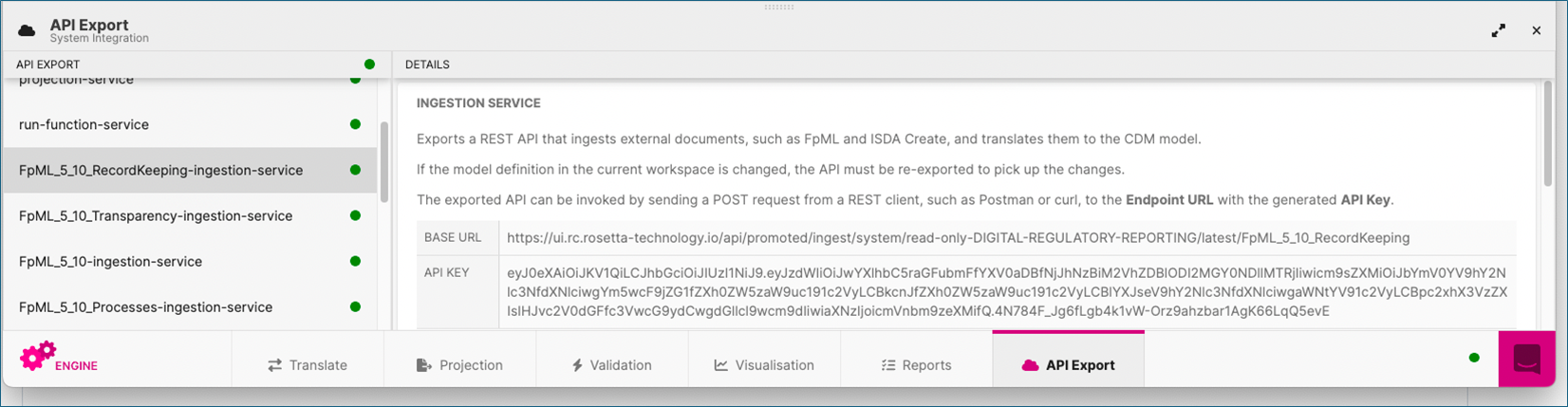
1.3 Copy the Base URL and APIAPI Application Programming Interface –bridges that let different software systems talk to each other. Key.
1.4. In Postman, create a POST request using the copied URL.
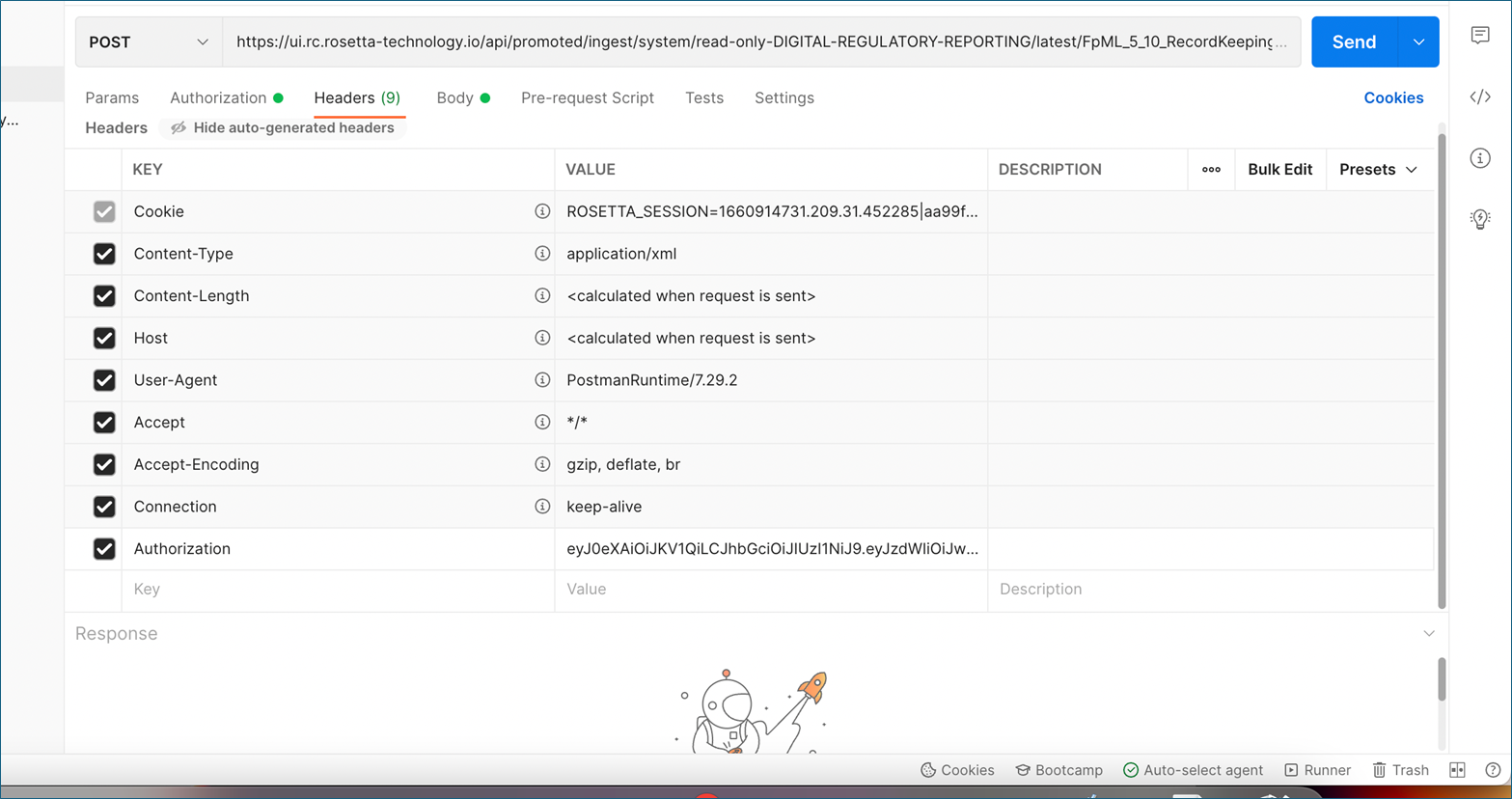
1.5. In Headers, set:
- Key: Authorization
- Value: APIAPI Application Programming Interface –bridges that let different software systems talk to each other. Key from RosettaRosetta REGnosys’s proprietary platform used as an execution engine for DRR.
1.6. In Bodybody The organisation or authority that issues the regulatory or technical document the model is based on e.g. a regulator (CFTC, ESMA) or a standard‑setting organisation (CPMI–IOSCO)., choose raw → XMLXML Extensible Markup Language. Text-based format used to store and transport data in a structured way that both humans and machines can read..
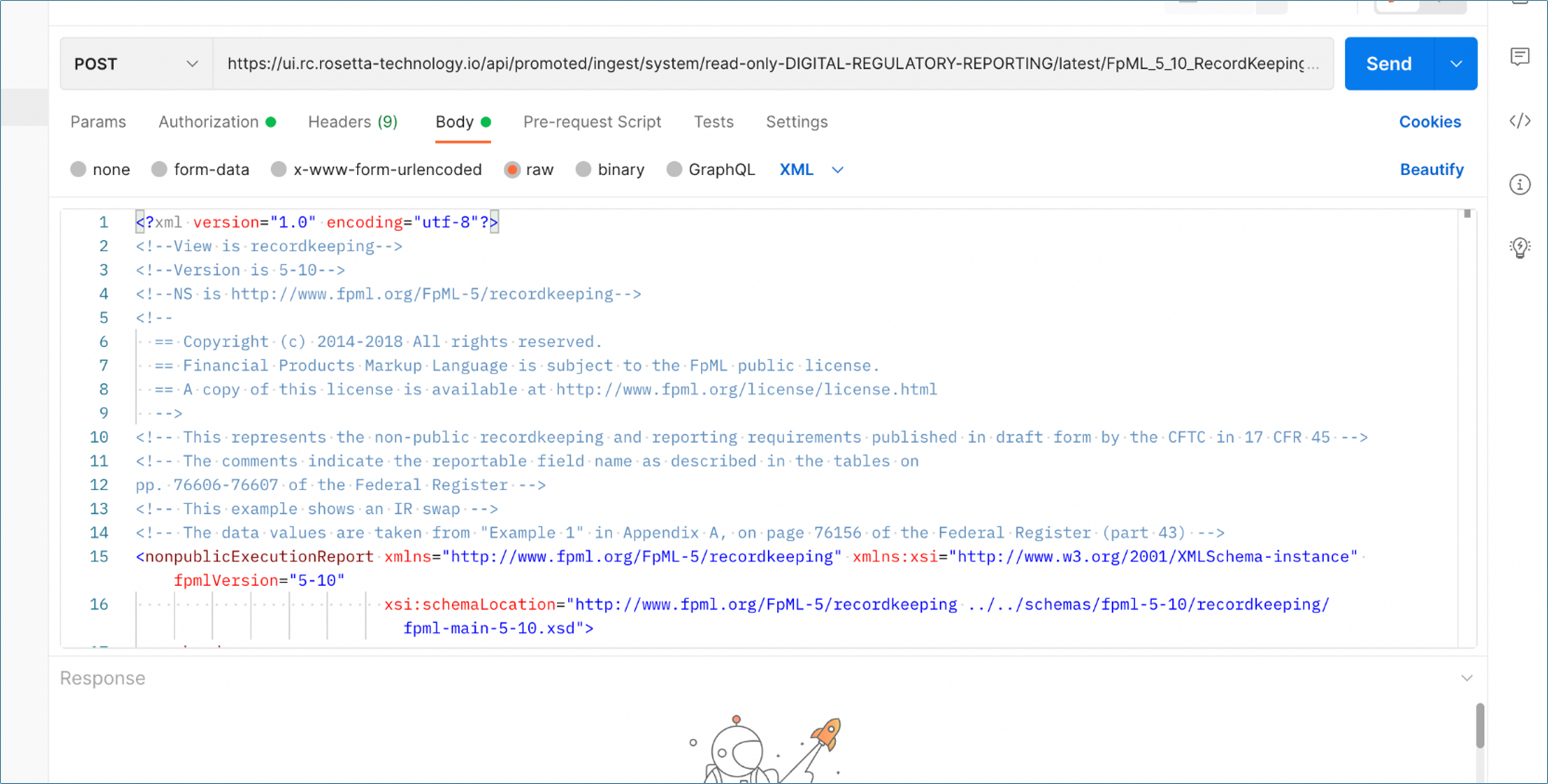
1.7. Paste your FpMLFpML Financial Products Markup Language XMLXML Extensible Markup Language. Text-based format used to store and transport data in a structured way that both humans and machines can read. and click Send.
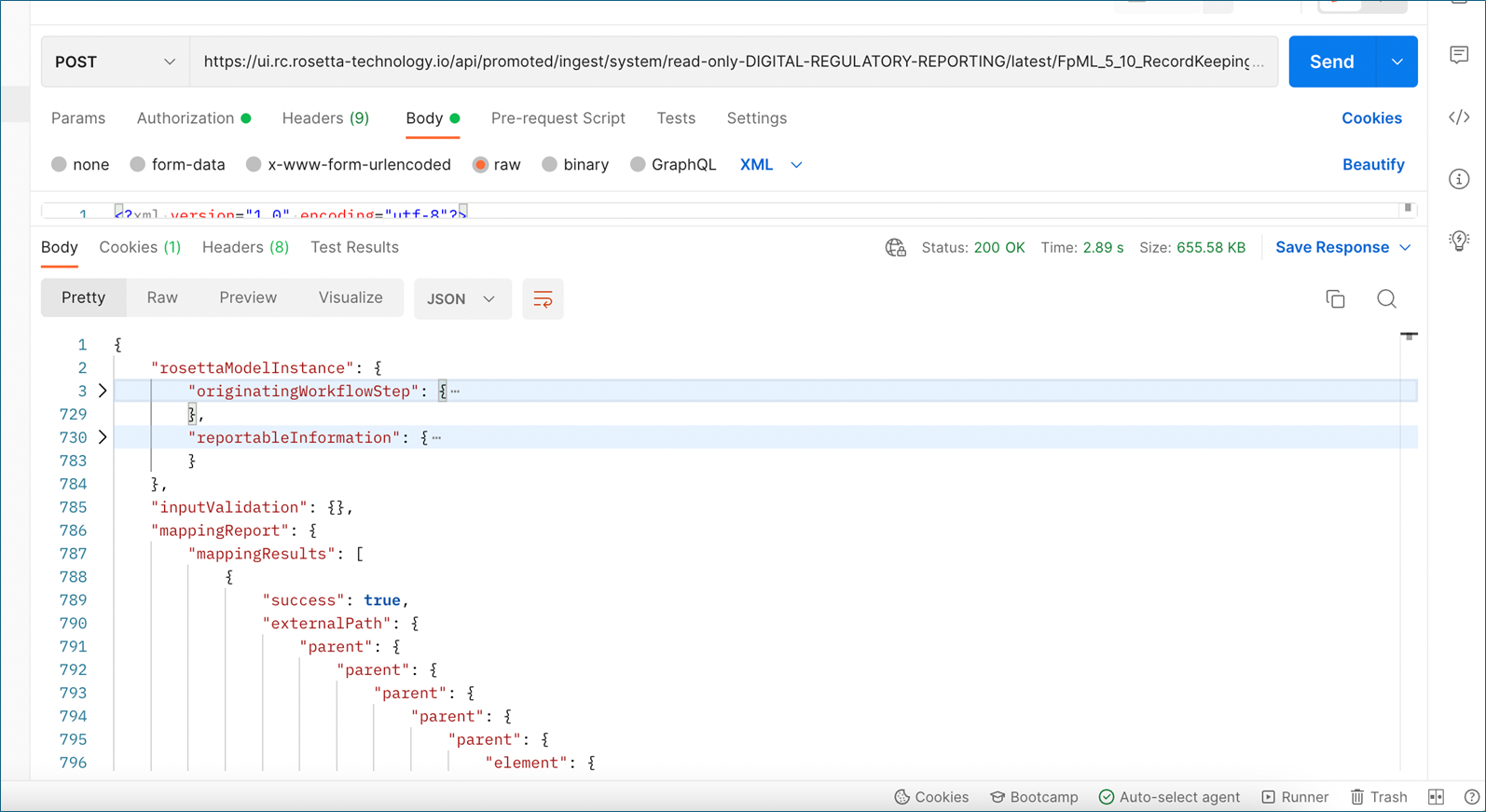
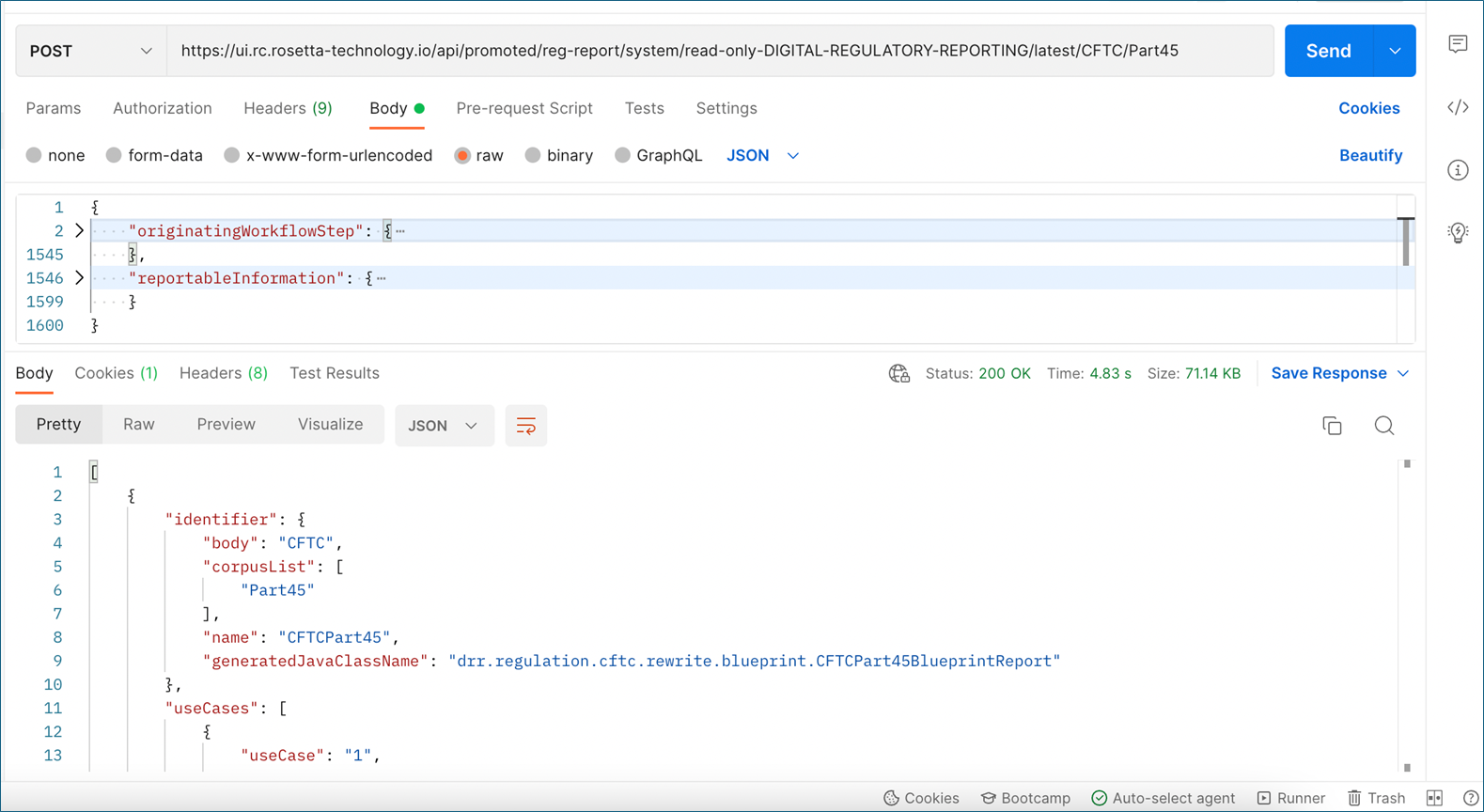
1.8. Copy the originatingWorkflowStep and reportableInformation sections:
{
“originatingWorkflowStep”: { * }, “reportableInformation”: { * }
}
2. Running the custom function service
Use the ingestion output to generate a ReportableEvent.
2.1 In RosettaRosetta REGnosys’s proprietary platform used as an execution engine for DRR. → APIAPI Application Programming Interface –bridges that let different software systems talk to each other. Export, select run-function-service.
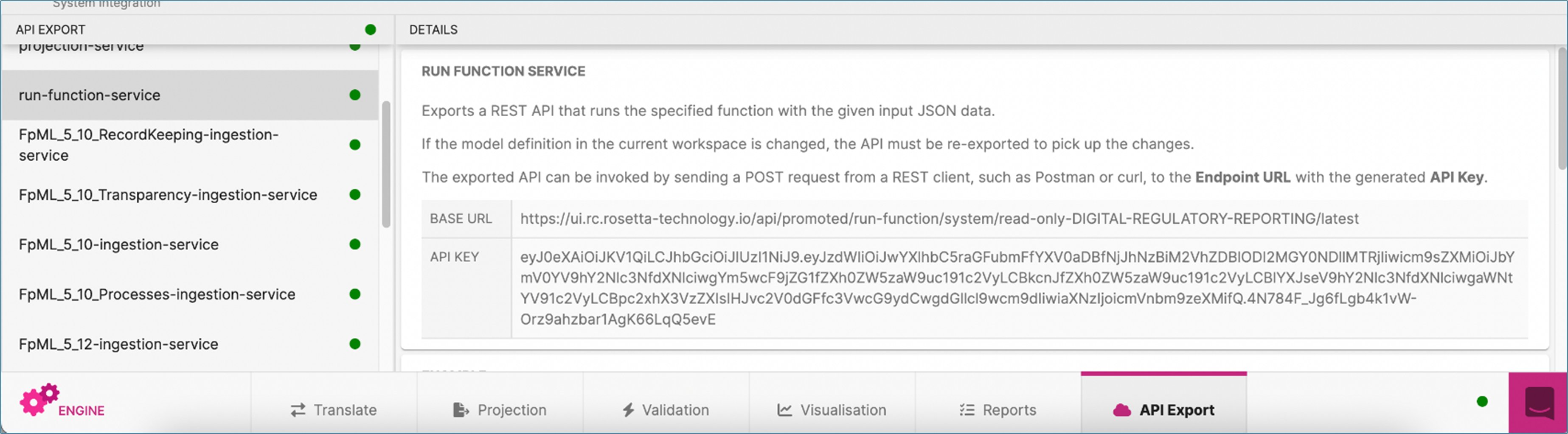
2.2. Copy the URL and create a new POST request in Postman. Then add: /drr.regulation.common.functions.Create_ReportableEventFromInstruction
2.3. Add the Authorization header again.
2.4. In Bodybody The organisation or authority that issues the regulatory or technical document the model is based on e.g. a regulator (CFTC, ESMA) or a standard‑setting organisation (CPMI–IOSCO)., choose raw → JSONJSON JavaScript Object Notation. Text-based, language-independent format with key-value pairs (eg Name: Dave)..
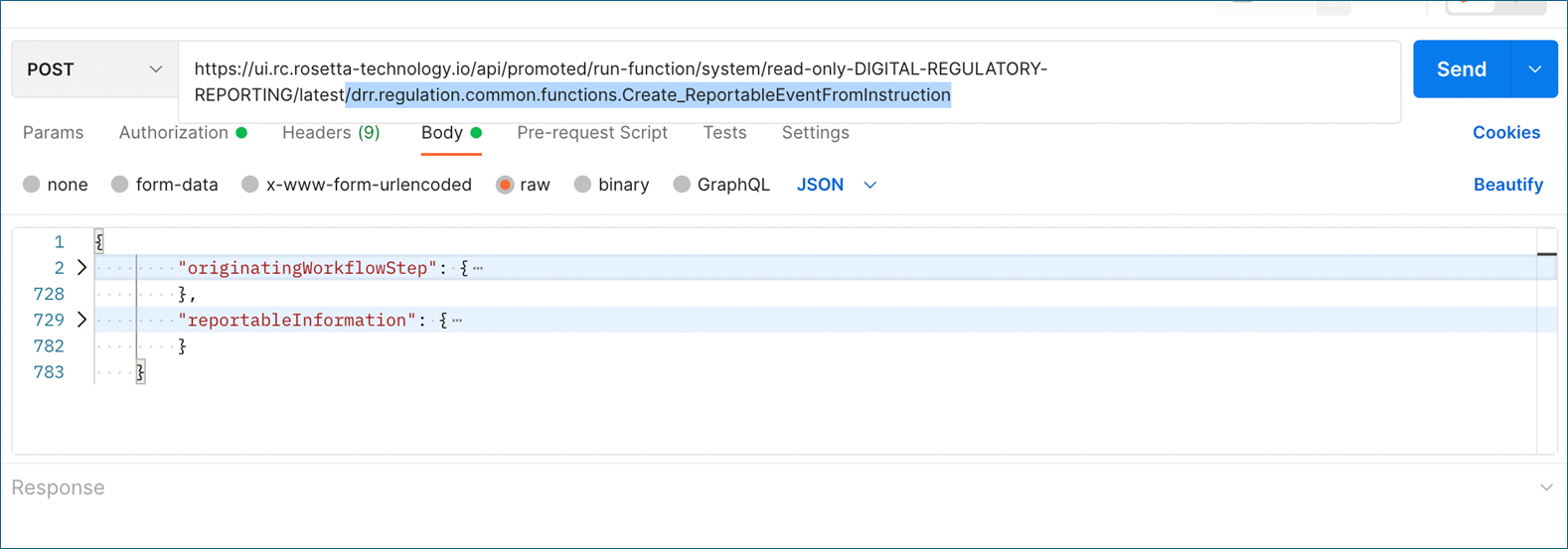
2.5. Paste the JSONJSON JavaScript Object Notation. Text-based, language-independent format with key-value pairs (eg Name: Dave). copied from the ingestion response and click Send.
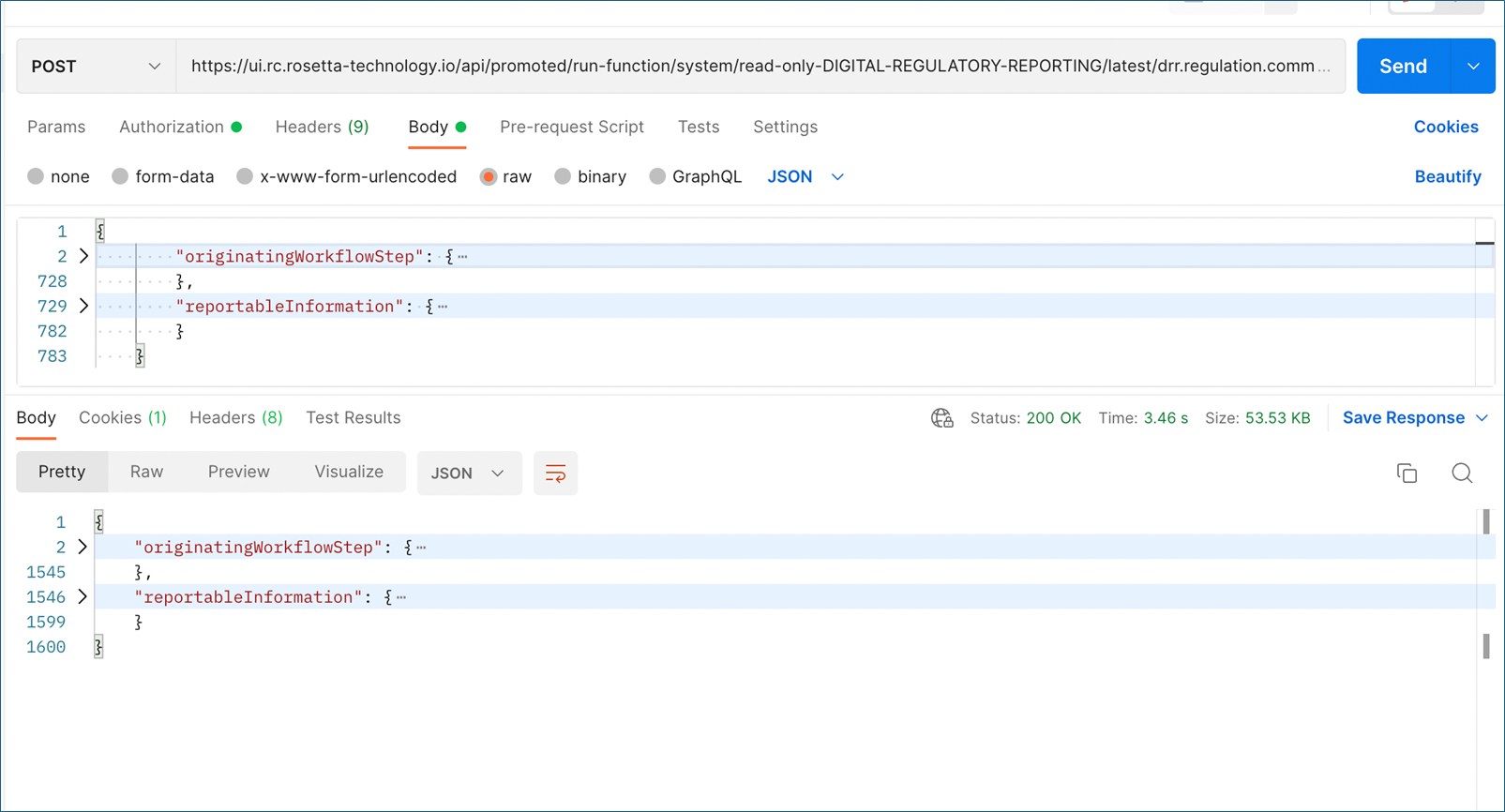
Copy the resulting JSONJSON JavaScript Object Notation. Text-based, language-independent format with key-value pairs (eg Name: Dave). for the next step.
3. Running the regulation report service
Use the ReportableEvent to generate the final regulatory report.
3.1. In RosettaRosetta REGnosys’s proprietary platform used as an execution engine for DRR. → APIAPI Application Programming Interface –bridges that let different software systems talk to each other. Export, select regulation-report-service.
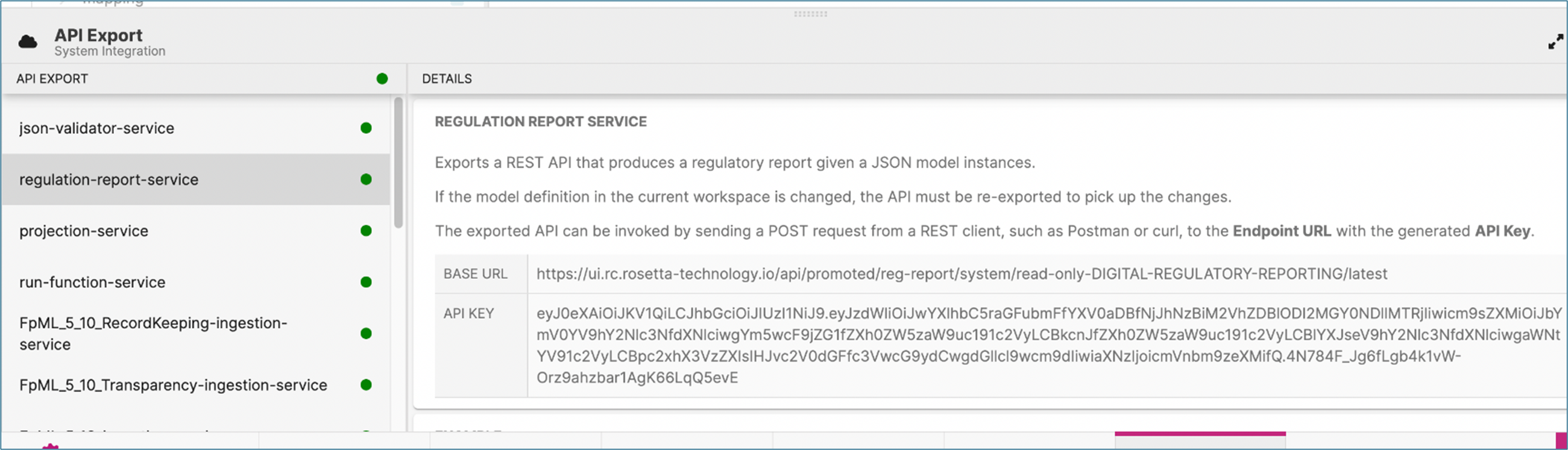
3.2. Copy the URL and create a new POST request.
Append the regulation path, e.g. /CFTC/Part45
3.3. Then add the Authorization header.
3.4. In Bodybody The organisation or authority that issues the regulatory or technical document the model is based on e.g. a regulator (CFTC, ESMA) or a standard‑setting organisation (CPMI–IOSCO)., choose raw → JSONJSON JavaScript Object Notation. Text-based, language-independent format with key-value pairs (eg Name: Dave)..
3.5. Paste the output from the custom function step and click Send. This returns the final regulatory transaction report: